Essential Setup Tips for Guitar Effects Software
Oliver Murray ·
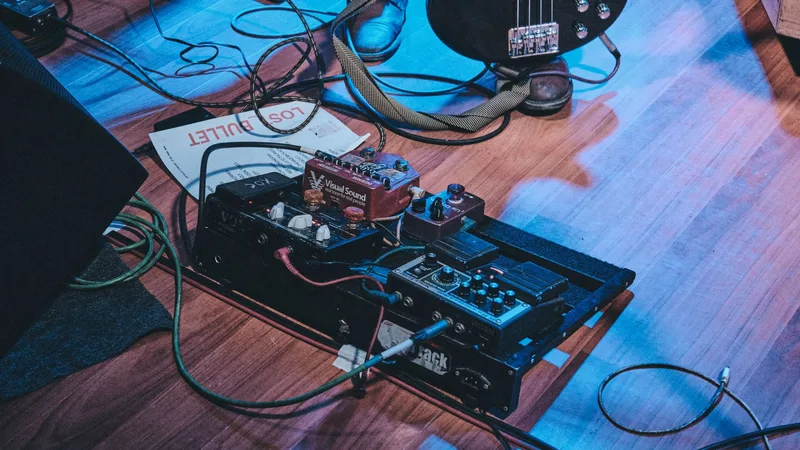
Optimizing your guitar effects software can significantly enhance your sound quality and performance. With the right setup, you can achieve a professional-grade tone that stands out in any musical…
Essential Setup Tips for Guitar Effects Software
Getting started with guitar effects software can be a game-changer for your sound. Understanding how to set it up correctly is crucial for achieving the best performance. Recording in a studio or performing live, the right setup can make all the difference in your audio quality and creative possibilities. This guide will help you navigate the essential aspects of your software setup to ensure you get the most out of your gear
Before diving into the specifics, consider your hardware and how it interacts with the software. Many musicians overlook the basic requirements, which can lead to frustrating experiences. By ensuring that your system meets the necessary specifications, you’ll lay a solid foundation for your music production journey.
System Requirements
Understanding the minimum and recommended specs for your guitar effects software is the first step to a smooth experience. Check your computer’s operating system to ensure compatibility, as many software options have specific requirements. At a minimum, you typically need a multi-core processor, at least 8GB of RAM, and sufficient storage space for installation and projects. If you want to maximize performance, consider upgrading to 16GB of RAM or more. A well-performing system can significantly enhance your workflow.
Software Compatibility
Choose software that integrates well with your existing tools to avoid compatibility issues down the line. Look for programs that support VST plugins or work seamlessly with your digital audio workstation (DAW). This compatibility can save you time and headaches during setup and usage. Check user reviews or forums for insights from other musicians. A solid choice in software can expand your sound and allow for greater creativity in your projects.
Optimizing Audio Settings for Clarity
Once your guitar effects software is set up, the next step is optimizing your audio settings. Many musicians underestimate the importance of fine-tuning these settings, which can lead to latency issues and poor sound quality. Focusing on aspects like buffer size and sample rate can help you achieve the clarity you desire in your recordings and live performances. This attention to detail will set your music apart.
Taking the time to adjust these settings will pay off significantly. It’s often the small tweaks that can enhance your overall sound. By understanding how each setting impacts your audio, you can create a more polished and professional output.
Buffer Size Adjustments
Learning how to set the right buffer size is essential for reducing latency during playback and recording. A smaller buffer size can lead to lower latency, which is crucial for live performance. However, if the size is too small, it can cause audio dropouts. Aim for a balance where you maintain sound integrity while reducing delays. A buffer size of 128 or 256 samples is often a good starting point for most scenarios. Test different settings to find what works best for your system.
Sample Rate Configuration
Explore the impact of sample rates on sound quality to enhance your audio experience. Common sample rates like 44.1 kHz or 48 kHz can provide good quality for most applications. Higher sample rates can capture more detail but require more processing power and storage. It’s important to find a rate that your system can handle while still delivering the clarity you need. Adjusting this setting can greatly influence the overall quality of your recordings.
Managing Plugins Effectively
When working with guitar effects software, managing your plugins is crucial for maintaining a smooth workflow. A well-organized system allows you to access your effects quickly, making the creative process more enjoyable. Consider categorizing your plugins based on their type or function, such as distortion, modulation, or reverb. This method not only saves time but also helps you experiment more freely with different sounds. A clutter-free interface encourages creativity and makes live performance setup easier.
To achieve optimal performance, it’s essential to manage your resources wisely. Overloading your system with too many plugins can lead to crashes or sluggish performance, especially during live sessions. Regularly auditing your plugin collection can help you identify which ones you truly use and love. You can also consider using a plugin manager to streamline the process. Keep your system running smoothly by uninstalling or disabling plugins that you no longer need.
Organizing Your Effects
Arranging your plugins for the best workflow means finding a system that works for you. Start by grouping similar effects together, which can help reduce the time spent searching through a long list. Labeling your custom presets according to the genre or specific song can also speed up your setup. Remember to prioritize the most frequently used effects at the beginning of your list for easy access. This organization will not only enhance your performance but also reduce potential stress during a live show.
Resource Management
Managing your resources effectively can prevent issues that arise from overloading your system. Start by keeping track of how many plugins are active during your sessions. If you notice any performance dips, consider disabling some non-essential plugins or rendering tracks to free up resources. You might also explore using lighter alternatives for certain effects, which can help minimize the strain on your system. Always remember that a lean setup can lead to a more enjoyable and fluid live performance. 🎸
Real-Time Performance Considerations
When using guitar effects software, real-time performance is key, especially in live settings. The right setup can make the difference between a seamless show and a frustrating experience. Using a dedicated audio interface is essential for achieving the best sound quality and performance. It ensures that your guitar signals are processed quickly and efficiently, minimizing any delay that could disrupt your performance. This is particularly important when you're aiming for tight synchronization with other instruments or backing tracks.
To further enhance your live performance, focusing on latency reduction techniques is vital. High latency can be a major hurdle, leading to noticeable delays between your actions and the sound output. Techniques such as adjusting buffer sizes and sample rates within your software settings can significantly reduce latency. Additionally, using direct monitoring through your audio interface allows you to hear your guitar in real-time, eliminating the lag that can occur with software monitoring.
Using a Dedicated Audio Interface
A dedicated audio interface provides numerous benefits for live performance. It ensures higher audio quality than standard computer sound cards, resulting in a clearer and more dynamic sound. Additionally, dedicated interfaces often come with features like lower latency and multiple inputs, which can be invaluable for complex setups. If you frequently perform live, investing in a quality audio interface can be one of the best decisions you make for your gear. It’s a crucial step toward a professional sound.
Latency Reduction Techniques
Minimizing latency during live performances is essential for maintaining the flow of your music. Start by adjusting your audio buffer settings in your software; a smaller buffer size often translates to lower latency but can increase CPU load. Experiment with different sample rates to find the sweet spot for your system. If you experience latency issues, consider using a direct audio connection instead of relying solely on software monitoring. These strategies can significantly enhance your live performance experience and ensure that you sound your best.
Connecting Guitar Effects Software to Casino Entertainment
Guitar effects software has transformed how musicians create sounds, bringing endless possibilities for customization and creativity. By manipulating audio signals, it allows artists to achieve unique tones that elevate their music. Interestingly, this technology can find a new application in the world of casino entertainment, particularly in live dealer games. These games have gained popularity for their interactive experience and immersive settings, where music plays a vital role in engaging players.
As live dealer games often feature real dealers interacting with players in real-time, the integration of music and sound effects enhances the overall atmosphere. Just as guitar effects software can shape the sound of a performance, it can also shape the audio of a casino game, making every spin or card deal feel more exciting. Understanding this connection can open up creative avenues for both musicians and those involved in casino entertainment.
The Rise of Live Dealer Games
Live dealer games have become a staple in online casinos, merging traditional gaming with cutting-edge technology. These games often use high-quality audio to simulate the feel of a physical casino. Music and sound effects from guitar effects software can be integrated into these games, enhancing the experience for players. The right audio can elevate the tension during a blackjack hand or amplify the excitement of a roulette spin. This connection between music and gaming is something that both developers and players are beginning to appreciate more.
Creating an Engaging Atmosphere
Audio plays a crucial role in enhancing the gaming experience in casinos. Just as musicians use guitar effects to create an engaging sound, casinos use audio to create an immersive environment. The right combination of music and sound effects can captivate players, making them feel more involved in the game. For example, the sound of a winning hand in blackjack can be accentuated with a celebratory guitar riff. Here are some ways to enhance the atmosphere:
- Choose the right music: Select tracks that match the energy of the game.
- Incorporate sound effects that resonate with the action, like shuffling cards or spinning wheels.
- Experiment with different guitar effects to find unique sounds that fit the theme.
- Consider player feedback to continually refine the audio experience. 🎶